
MetaMask is the most popular cryptocurrency wallet for accessing DeFi applications. It’s a browser extension that lets you store crypto, connect to decentralized apps (dApps), and manage your digital assets. This guide will walk you through setting it up securely.
What is MetaMask?
MetaMask is a non-custodial wallet, meaning you—and only you—control your private keys. Unlike keeping crypto on Coinbase or Binance (custodial), no company can freeze your funds or deny you access.
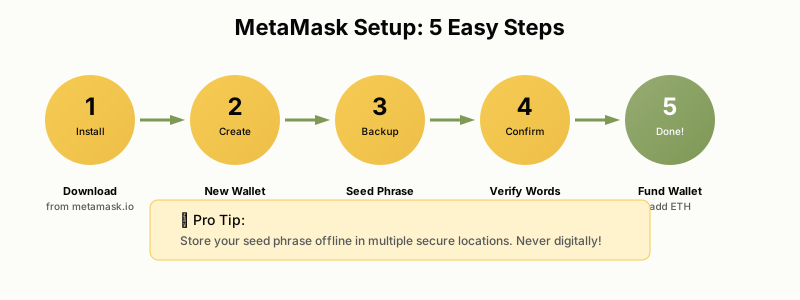
Step 1: Install MetaMask
For Chrome/Brave/Edge:
- Go to metamask.io (always verify the URL!)
- Click “Download” and select your browser
- Click “Add to Chrome” (or your browser)
- The MetaMask fox icon will appear in your browser toolbar
Security Warning: Only download MetaMask from the official website: metamask.io. Scammers create fake MetaMask extensions to steal your crypto.
Step 2: Create Your Wallet
- Click “Create a New Wallet” – You’ll see options to create new or import existing. Choose create new.
- Set a Strong Password – This password encrypts your wallet on this device. Use 12+ characters with mixed case, numbers, and symbols.
- Watch the Security Video – MetaMask shows a short video about seed phrases. Watch it—this is critical information.
- Reveal Your Secret Recovery Phrase – Click to reveal your 12-word seed phrase. This is the master key to your wallet.
Step 3: Secure Your Seed Phrase
Your Secret Recovery Phrase (also called seed phrase or mnemonic) is 12 random words that can restore your wallet on any device. Anyone with these words has full access to your funds.
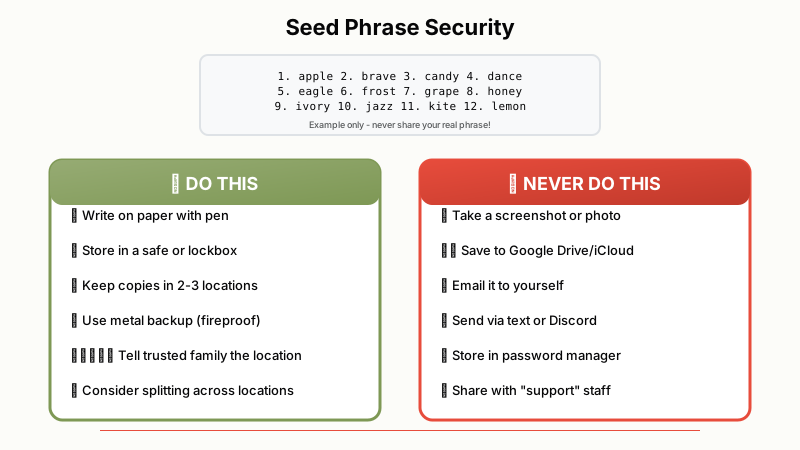
DO:
- Write it down on paper (pen, not pencil)
- Store in multiple secure locations (safe, safety deposit box)
- Consider a metal backup (fire/water resistant)
- Tell a trusted family member where it’s stored (for emergencies)
DON’T:
- Take a screenshot or photo
- Store in cloud storage (Google Drive, iCloud, Dropbox)
- Email it to yourself
- Save in a password manager connected to the internet
- Share with ANYONE (no legitimate service will ever ask for it)
CRITICAL: Never Share Your Seed Phrase. MetaMask support will NEVER ask for your seed phrase. Anyone asking is a scammer. If you share it, your funds WILL be stolen—usually within minutes.
Step 4: Add Networks (Optional)
By default, MetaMask connects to Ethereum Mainnet. To use other chains (where fees are cheaper), you’ll need to add them. Visit chainlist.org, connect your wallet, search for the network (e.g., “Arbitrum”), and click “Add to MetaMask”.
Key Takeaways
- Download MetaMask only from metamask.io
- Your seed phrase is your master key—protect it offline
- Never share your seed phrase with anyone, ever
- Add Layer 2 networks to save on gas fees
- Fund your wallet via exchange withdrawal for best rates